Crafting Infinite Worlds: Building a 100% Dynamic AI Choose Your Own Adventure
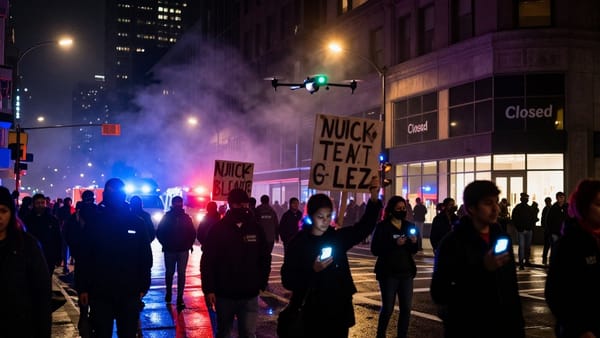
Dive into the world of Silicon Dreams, a choose-your-own-adventure game where your choices shape a neon-lit future. Experience immersive storytelling, stunning AI art, and endless possibilities.

Exploring the tech behind real-time, AI-generated narrative and visuals.
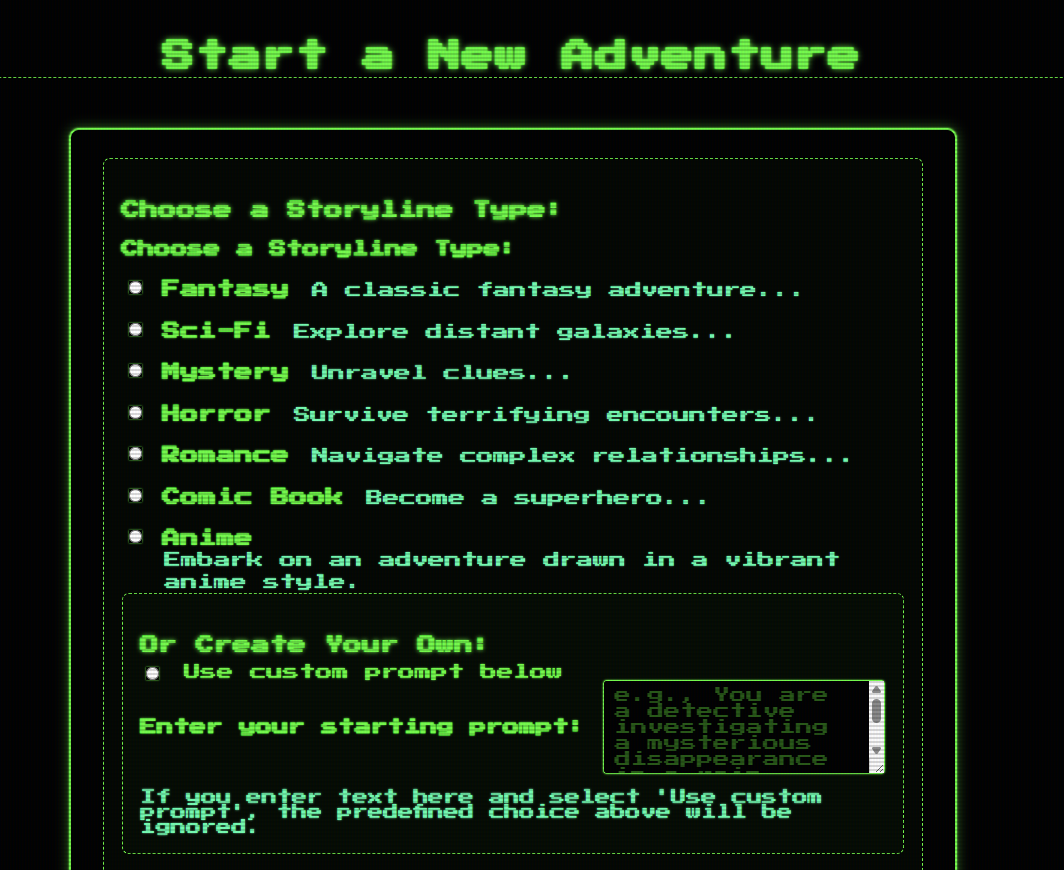
What if no two playthroughs of an adventure game were ever the same? Imagine a Choose Your Own Adventure (CYOA) where the story isn't just branching, but is actively created in real-time, uniquely for you, based on your decisions. This isn't about selecting path A or B from a pre-written script; it's about the game world dynamically reacting and evolving through the creative power of Artificial Intelligence, a process we call vibe coding. In Silicon Dreams, you can type any action you want—you're not limited to multiple choice. The AI interprets your free-form input, making every adventure truly your own. We believe this represents the beginning of a new movement in game development – one where player agency truly drives the narrative, co-authored moment-to-moment with AI. Our latest project explores this frontier, building a 100% dynamic AI CYOA game using a stack of modern technologies. This post dives into the technical journey, challenges, and breakthroughs in bringing this vision to life, aimed at anyone fascinated by the intersection of AI, storytelling, and interactive entertainment.
Core Technologies: The Foundation
Building a fully dynamic AI game requires a robust and scalable foundation. Here's a breakdown of the key technologies and their roles:
- Python: The core programming language, chosen for its extensive libraries, strong community support, and excellent integration capabilities with AI services and web frameworks.
- Django: A high-level Python web framework providing the application structure. We utilized its ORM for database interactions (with PostgreSQL), its templating engine for rendering the user interface, built-in security features (like CSRF protection), and the admin interface for easy data management.
- Celery & Redis: Essential for handling the time-consuming AI generation tasks asynchronously. Celery acts as the distributed task queue, allowing the web server to quickly respond to user requests while offloading the heavy lifting (API calls to LLMs and image generators) to background worker processes. Redis serves as the fast, in-memory message broker.
- Asyncio: While Celery handles the main asynchronous processing, Python's
asynciolibrary was explored and used within some of the AI interaction logic (like theai_generators.pyclasses) to efficiently manage concurrent I/O operations when communicating with external APIs, preventing blocking within the task workers themselves where applicable. - Cloudflare R2: Provides S3-compatible, cost-effective object storage. All dynamically generated images are uploaded here using the boto3 library, and R2 serves them directly to the user, reducing load on the application server.
The AI Heart: Dynamic Narrative Generation
The core gameplay loop revolves around the LLM generating the story. Instead of pre-written text, the narrative unfolds based on player choices and the evolving game state. This involved several steps:
- Context Gathering: Before calling the LLM, the application gathers the current game context. This includes player stats (HP, fear, etc.), inventory items, story flags (like
door_unlocked=true), a history of recent events and player actions, and the player's latest choice. - LLM Interaction: We primarily used models from the Google Gemini family (like 1.5 Flash) for narrative generation. The carefully assembled context is sent to the Gemini API.
- Structured Output Parsing: The LLM is instructed (via the prompt) to return not just the narrative text, but also structured data: 2-3 relevant player choices, a prompt suitable for image generation, and specific tags indicating changes to game state (e.g.,
<STAT_CHANGE stat="hp" change="-1" />,<SET_FLAG>found_key=true</SET_FLAG>,<CHARACTER id="NPC01" name="Mysterious Stranger">...</CHARACTER>). The application code then parses this structured output to update the game state in the database. - Flexibility with OpenRouter: We integrated OpenRouter to provide flexibility. This allows experimenting with different LLMs for narrative generation or specialized tasks (like image prompt refinement) without being locked into a single provider, accessing models via a unified API.
Challenge: Prompt Engineering for Narrative
One of the most significant challenges was prompt engineering. Crafting the perfect prompt for the narrative LLM is an iterative art. The prompt needs to instruct the AI to:
- Maintain strict narrative continuity based on history and player actions.
- Adhere consistently to the chosen storyline theme (e.g., Fantasy, Sci-Fi).
- Generate relevant and engaging choices.
- Accurately reflect player stats and game flags in the narrative.
- Introduce new characters with unique IDs and descriptions when appropriate.
- Reliably output structured data (choices, image prompts, state change tags) that the application can parse.
- Handle character references correctly (using names like "Guard Captain" in the narrative but specific IDs like "GCK01" in image prompts).
Achieving this required numerous revisions, experimenting with different phrasing, providing clear examples within the prompt, and refining the parsing logic in api_wrappers.py (later refactored into ai_generators.py) to handle variations in the AI's output.
For example, parsing the structured tags from the LLM's response involved using regular expressions within the Celery task:
# game_app/tasks.py (simplified parsing snippet inside the task)
import re
import logging # Added for logger usage example
logger = logging.getLogger(__name__) # Define logger
# ... inside generate_narrative_and_image_task ...
response_text = """
NARRATIVE:
You cautiously enter the dusty crypt. A faint green glow emanates from a pedestal in the center.
A shambling ghoul notices you!
entered_crypt=true
""" # Example response text
state_changes = {}
choices = []
narrative = "Error: Could not parse narrative." # Default value
image_prompt = "Error state." # Default value
# Example: Parsing STAT_CHANGE tags
stat_change_tags = re.findall(
r"<STAT_CHANGE\s+stat=[\"']([^\"']+)[\"']\s+change=[\"']([+-]?\d+)[\"']\s*/>",
response_text, re.IGNORECASE
)
if stat_change_tags:
stat_updates = {}
for stat, change in stat_change_tags:
try:
stat_updates[stat.lower()] = int(change)
except ValueError:
logger.warning(f"Invalid stat change value '{change}' for '{stat}'")
if stat_updates:
state_changes['stat_updates'] = stat_updates
logger.info(f"Parsed STAT_CHANGE: {stat_updates}")
# Example: Parsing CHOICES block
choices_block_match = re.search(
r"CHOICES:\s*(.*?)(?:IMAGE_PROMPT:|NARRATIVE:|$)", # Look for CHOICES: until next known block or end
response_text, re.IGNORECASE | re.DOTALL
)
if choices_block_match:
choices_text = choices_block_match.group(1).strip()
# Extract numbered choices (e.g., "1. Do this", "2. Do that")
parsed_choices = re.findall(r"^\d+\.\s*(.*)", choices_text, re.MULTILINE)
choices = [choice.strip() for choice in parsed_choices if choice.strip()] # Ensure non-empty choices
logger.info(f"Parsed CHOICES: {choices}")
# Example: Parsing NARRATIVE block (more robustly)
narrative_match = re.search(
r"NARRATIVE:\s*(.*?)(?:CHOICES:|IMAGE_PROMPT:|$)", # Look for NARRATIVE: until next known block or end
response_text, re.IGNORECASE | re.DOTALL
)
if narrative_match:
# Further clean up potentially included tags if they shouldn't be displayed
raw_narrative = narrative_match.group(1).strip()
# Simple example: remove known tags for display (adjust regex as needed)
narrative = re.sub(r"<(?:STAT_CHANGE|SET_FLAG|CHARACTER)[^&]*>", "", raw_narrative, flags=re.IGNORECASE).strip()
logger.info(f"Parsed NARRATIVE (cleaned): {narrative[:100]}...") # Log snippet
# Example: Parsing IMAGE_PROMPT block
image_prompt_match = re.search(
r"IMAGE_PROMPT:\s*(.*?)(?:NARRATIVE:|CHOICES:|$)", # Look for IMAGE_PROMPT: until next known block or end
response_text, re.IGNORECASE | re.DOTALL
)
if image_prompt_match:
# Clean up potentially included tags if the image model doesn't handle them
raw_image_prompt = image_prompt_match.group(1).strip()
# Example: Remove known tags (adjust regex as needed)
image_prompt = re.sub(r"<(?:STAT_CHANGE|SET_FLAG|CHARACTER)[^&]*>", "", raw_image_prompt, flags=re.IGNORECASE).strip()
logger.info(f"Parsed IMAGE_PROMPT (cleaned): {image_prompt}")
# Similar regex patterns can be used for SET_FLAG, CHARACTER, etc.
# ... rest of the parsing logic to populate state_changes['flags'], state_changes['characters'] ...
Visualizing the Adventure: AI Image Generation
A dynamic story deserves dynamic visuals. We implemented a multi-stage process for generating unique illustrations:
- Narrative-to-Prompt Generation: The narrative text generated by the primary LLM (e.g., Gemini) often contains rich detail but isn't always the ideal input for an image model. We sometimes employed a secondary, specialized LLM (like models from Mistral accessed via OpenRouter) to analyze the narrative and extract key visual elements, character descriptions (using their IDs), setting details, and mood, creating a more effective prompt specifically for the image generator.
- Image Model Interaction: We utilized multiple services for flexibility and control:
- Replicate: Provided easy API access to powerful, fast models like Flux.1 Schnell for standard image generation. For our romance themes, we leverage the incredible new HiDream-I1 model, which produces stunningly realistic and expressive results.
- RunPod & ComfyUI: For greater control over the image generation pipeline, we used RunPod to host persistent GPU instances running ComfyUI. Our Django application interacted with the ComfyUI API, allowing us to execute complex workflows involving models like SDXL and its variants, applying specific LoRAs, and fine-tuning parameters. This required setting up the ComfyUI workflow JSON and managing the RunPod instance.
- Storage: Generated images were uploaded to Cloudflare R2 for efficient storage and delivery.
This pipeline ensures that every image reflects the specific characters, environment, and action of that moment in the player's unique journey.

Responsive, Scalable, and User-Friendly
Silicon Dreams is designed for a smooth and modern user experience. The interface is responsive and works well on both desktop and mobile devices. When you submit an action, you'll see real-time feedback and a loading indicator while the AI generates your next scene—no page reloads or awkward waiting.
Behind the scenes, the backend is built for scalability. Thanks to technologies like Celery, Redis, and Docker, Silicon Dreams can handle many players at once, each with their own unique adventure, without slowdowns or bottlenecks.
The biggest technical hurdle was handling the inherently slow nature of external AI API calls. A typical narrative or image generation could take several seconds, far too long for a synchronous web request. This is where Celery became indispensable.
- The Problem: Without background tasks, a user clicking a choice would cause the Django view to hang, waiting for Gemini and then Replicate/RunPod to respond. This would lock up the web server process, preventing it from handling other users and leading to timeouts and a poor user experience.
-
The Solution - Celery Tasks: We refactored the core AI logic into Celery tasks defined in
game_app/tasks.py. When a user makes a choice, the Django view (game_app/views.py) now does minimal work: it validates the input, potentially updates the turn counter or records history, and then immediately enqueues thegenerate_narrative_and_image_taskusingtask.delay(...). The view then instantly returns a 'processing' status to the user's browser.Enqueueing the task in
game_app/views.py:# game_app/views.py (simplified POST handler in game_view) from .tasks import generate_narrative_and_image_task from django.http import JsonResponse, HttpRequest, HttpResponse from django.contrib.auth.decorators import login_required # from .models import GameState, PlayerStats # Assuming these are imported import json import logging # Added for logging logger = logging.getLogger(__name__) @login_required def game_view(request: HttpRequest, game_id: int) -> HttpResponse: # ... (Assume GET request handling exists here) ... if request.method == 'POST': try: user = request.user # Fetch game_state and player_stats securely for the logged-in user # game_state = GameState.objects.get(id=game_id, user=user) # player_stats = PlayerStats.objects.get(game_state=game_state) # Example fetch # Placeholder data for demonstration game_state = type('obj', (object,), {'id': game_id, 'save': lambda: None})() player_stats = type('obj', (object,), {'game_state_id': game_id})() current_context = {'turn': 1, 'history': []} # Example context data = json.loads(request.body) player_choice = data.get('choice', 'look around') # Default choice # --- Prepare context --- # Example: Add choice to history current_context['history'].append(f"Turn {current_context['turn']}: Player chose '{player_choice}'") # Example: Increment turn (might happen in task or here) current_context['turn'] += 1 # --- Record history entry (if applicable before task) --- # History.objects.create(game_state=game_state, turn=current_context['turn']-1, action=player_choice) # Ensure game state is saved before enqueuing if needed game_state.save() # Saves the current state before task starts logger.info(f"Enqueuing task for game {game_id}, turn {current_context['turn']}") generate_narrative_and_image_task.delay( # Enqueue the task! game_id=game_state.id, user_id=user.id, player_choice=player_choice, current_context=current_context, # Pass the updated context player_stats_id=player_stats.game_state_id # Pass ID for task to fetch ) # Return immediate response return JsonResponse({ 'status': 'processing', 'message': 'Generating next step...', 'game_id': game_state.id }) except json.JSONDecodeError: logger.error("Invalid JSON received in POST request.") return JsonResponse({'status': 'error', 'error': 'Invalid request format.'}, status=400) # except GameState.DoesNotExist: # logger.error(f"Game state {game_id} not found for user {user.id}") # return JsonResponse({'status': 'error', 'error': 'Game not found.'}, status=404) except Exception as e: logger.exception(f"Error in game_view POST for game {game_id}: {e}") return JsonResponse({'status': 'error', 'error': f'Internal server error.'}, status=500) else: # Handle other methods or return error return JsonResponse({'status': 'error', 'error': 'Method not allowed'}, status=405) -
User Feedback - Polling: To inform the user when the background task completes, we implemented a polling mechanism. The frontend JavaScript (
static/js/game.js), upon receiving the 'processing' status, starts periodically calling a dedicated status endpoint (/game/status/<game_id>/). This endpoint checks the current status of theGameStaterecord in the database (which the Celery task updates upon completion).Frontend polling logic in
static/js/game.js:// static/js/game.js (simplified polling logic) let pollingIntervalId = null; const POLLING_INTERVAL_MS = 3000; // Poll every 3 seconds let currentGamId = null; // Store the current game ID globally or pass it around // --- UI Update Functions (Placeholders) --- function updateGameDisplay(data) { console.log("Updating display with data:", data); // Example: Update narrative text, image, choices, stats // document.getElementById('narrative-text').textContent = data.narrative; // document.getElementById('game-image').src = data.image_url; // updateChoices(data.choices); // updateStats(data.stats); } function displayGameOver(data) { console.log("Game Over:", data); // Example: Show game over message // document.getElementById('game-area').innerHTML = `Game Over!
${data.narrative}
`; } function displayError(errorMessage) { console.error("Error:", errorMessage); // Example: Show error message to the user // document.getElementById('error-message').textContent = `Error: ${errorMessage}`; // document.getElementById('error-message').style.display = 'block'; } function showLoading() { console.log("Showing loading indicator..."); // Example: Display a spinner or loading text // document.getElementById('loading-indicator').style.display = 'block'; // disableChoiceButtons(); } function hideLoading() { console.log("Hiding loading indicator..."); // Example: Hide spinner or loading text // document.getElementById('loading-indicator').style.display = 'none'; // enableChoiceButtons(); } // --- End UI Update Functions --- function startPolling(gameId) { if (!gameId) { console.error("Cannot start polling without gameId."); return; } currentGamId = gameId; // Store the game ID stopPolling(); // Clear any existing interval first console.log(`Starting polling for game ${currentGamId}`); showLoading(); // Show loading indicator immediately pollingIntervalId = setInterval(() => { pollGameStatus(currentGamId); }, POLLING_INTERVAL_MS); // Initial poll after a short delay to get status quickly setTimeout(() => pollGameStatus(currentGamId), 1500); } function stopPolling() { if (pollingIntervalId) { console.log(`Stopping polling for game ${currentGamId}`); clearInterval(pollingIntervalId); pollingIntervalId = null; } // Don't hide loading here, wait for final status update } async function pollGameStatus(gameId) { if (!gameId) { console.warn("pollGameStatus called without gameId."); stopPolling(); return; } console.log(`Polling status for game ${gameId}...`); const statusUrl = `/game/status/${gameId}/`; // Ensure URL is correct try { const response = await fetch(statusUrl, { method: 'GET', headers: { 'Accept': 'application/json', // Add CSRF token header if needed for GET status endpoint, though often not required } }); if (!response.ok) { console.error(`Polling error: ${response.status} ${response.statusText}`); displayError(`Failed to get game status (${response.status}). Please try refreshing.`); stopPolling(); hideLoading(); return; } const data = await response.json(); console.log("Poll response:", data); // Handle different statuses switch (data.status) { case 'processing': // Still processing, continue polling. Optionally update loading text. console.log("Status: Still processing..."); // document.getElementById('loading-indicator').textContent = 'Still generating...'; break; case 'ready': stopPolling(); updateGameDisplay(data); // Update UI with final data hideLoading(); break; case 'game_over': stopPolling(); displayGameOver(data); hideLoading(); break; case 'error': stopPolling(); displayError(data.message || data.error || 'An unknown error occurred.'); hideLoading(); break; default: // Unknown status console.warn(`Unknown game status received: ${data.status}`); stopPolling(); displayError(`Received unknown game status: ${data.status}`); hideLoading(); break; } } catch (error) { console.error("Error during fetch/polling:", error); displayError('Network error while checking game status.'); stopPolling(); hideLoading(); } } // Example of how to initiate polling after submitting a choice // Assume submitChoice() is an async function handling the POST request async function submitChoice(choiceValue) { // ... (code to make the POST request to game_view) ... // const response = await fetch(...) // const result = await response.json(); // if (result.status === 'processing' && result.game_id) { // startPolling(result.game_id); // } else if (result.status === 'error') { // displayError(result.error); // } } - Updating the UI: Once the polling endpoint returns a 'ready' status (or 'game_over' or 'error'), the JavaScript stops polling and uses the accompanying data (new narrative, image URL, choices, stats) to update the user interface dynamically without a full page reload.
Simplified Celery task definition in game_app/tasks.py:
# game_app/tasks.py
from celery import shared_task, Task # Import Task for bind=True typing
from django.db import transaction
# from .models import GameState, PlayerStats # Assuming models are here
# from .ai_generators import NarrativeGenerator, ImageGenerator # Assuming generators are here
import logging
import time # For simulating work
logger = logging.getLogger(__name__)
# Example: Define exceptions that might warrant a retry
RETRYABLE_EXCEPTIONS = (TimeoutError, ConnectionError) # Add relevant API exceptions
@shared_task(
bind=True, # Allows accessing self (the task instance)
autoretry_for=RETRYABLE_EXCEPTIONS,
retry_kwargs={'max_retries': 3, 'countdown': 5}, # Wait 5s before retry
retry_backoff=True, # Exponential backoff
retry_backoff_max=60, # Max wait 60s
retry_jitter=True # Add randomness to backoff
)
def generate_narrative_and_image_task(self: Task, game_id: int, user_id: int, player_choice: str, current_context: dict, player_stats_id: int):
"""
Celery task to generate narrative and image asynchronously.
Updates GameState status throughout the process.
"""
logger.info(f"[Task:{self.request.id}] Starting for game {game_id}, choice: '{player_choice}'")
game_state = None # Initialize for error handling
try:
# Use a transaction to ensure atomic updates if multiple saves occur
with transaction.atomic():
# Fetch objects within the task - ensures fresh data
# Use select_for_update() if you need to lock the row during processing
# game_state = GameState.objects.select_related('stats').get(id=game_id, user_id=user_id)
# player_stats = game_state.stats # Or fetch separately by player_stats_id
# Placeholder objects for demonstration
game_state = type('obj', (object,), {
'id': game_id, 'user_id': user_id, 'status': 'pending',
'current_narrative_node': '', 'current_image_url': '',
'state_context_json': current_context,
'save': lambda **kwargs: logger.info(f"[Task:{self.request.id}] Mock GameState save called. Status: {game_state.status}")
})()
player_stats = type('obj', (object,), {
'hp': 10, 'fear': 0,
'save': lambda: logger.info(f"[Task:{self.request.id}] Mock PlayerStats save called.")
})()
# --- Update Status to Processing ---
game_state.status = 'processing'
game_state.save(update_fields=['status']) # Only update status field
logger.info(f"[Task:{self.request.id}] Game {game_id} status set to 'processing'")
# --- Instantiate Correct Generators ---
# narrative_generator = NarrativeGenerator(...) # Based on context/settings
# image_generator = ImageGenerator(...)
# Simulate generator instantiation
time.sleep(0.1)
# --- Generate Narrative ---
logger.info(f"[Task:{self.request.id}] Calling narrative generator...")
# narrative_result = narrative_generator.generate_narrative(current_context, player_choice)
# Simulate API call delay and result
time.sleep(2)
narrative_result = {
'text': f"Narrative for choice '{player_choice}'. You feel slightly braver.",
'tags': {'stat_updates': {'fear': -1}, 'flags': {'action_taken': True}},
'choices': ["Explore further", "Rest here"],
'image_prompt': f"Scene after choosing '{player_choice}', looking brave."
}
logger.info(f"[Task:{self.request.id}] Narrative received.")
# --- Parse Tags & Apply State Changes ---
# parsed_tags = narrative_result.get('tags', {})
# apply_state_changes(game_state, player_stats, parsed_tags)
# Simulate parsing and applying changes
if 'stat_updates' in narrative_result['tags']:
player_stats.fear += narrative_result['tags']['stat_updates'].get('fear', 0)
# check_for_game_end(player_stats) # Check if game ends based on stats
time.sleep(0.2)
logger.info(f"[Task:{self.request.id}] State changes applied.")
# --- Generate Image ---
image_prompt = narrative_result.get('image_prompt', 'default scene')
logger.info(f"[Task:{self.request.id}] Calling image generator with prompt: {image_prompt}")
# image_url = image_generator.generate_image(image_prompt)
# Simulate API call delay and result
time.sleep(3)
image_url = f"https://placehold.co/400x300/aabbcc/ffffff?text=Image+for+{player_choice.replace(' ','+')}"
logger.info(f"[Task:{self.request.id}] Image URL received: {image_url}")
# --- Update GameState with Final Results ---
game_state.current_narrative_node = narrative_result['text']
game_state.current_image_url = image_url
# Update context with new choices for the next turn
game_state.state_context_json['choices'] = narrative_result.get('choices', [])
game_state.state_context_json['last_narrative'] = narrative_result['text'] # Store for history/context
# Update any flags from tags
game_state.state_context_json['flags'] = {**game_state.state_context_json.get('flags', {}), **narrative_result['tags'].get('flags', {})}
game_state.status = 'ready' # Set final status
# Save all changes together at the end of the transaction
game_state.save()
player_stats.save()
logger.info(f"[Task:{self.request.id}] Task completed successfully for game {game_id}. Status: {game_state.status}")
# Return result if needed elsewhere (e.g., for chaining tasks)
return {'status': 'success', 'game_id': game_id, 'image_url': image_url}
except Exception as e:
logger.exception(f"[Task:{self.request.id}] Error processing task for game {game_id}: {e}")
if game_state: # Check if game_state was fetched
try:
# Attempt to update status to 'error' outside transaction if needed
# Or handle within if appropriate
# game_state.status = 'error'
# game_state.save(update_fields=['status'])
logger.error(f"[Task:{self.request.id}] Attempting to mark game {game_id} as error state.")
# Use self.update_state for task state management if needed
self.update_state(state='FAILURE', meta={'exc_type': type(e).__name__, 'exc_message': str(e)})
except Exception as update_err:
logger.error(f"[Task:{self.request.id}] Could not update game state to error for game {game_id}: {update_err}")
# Re-raise the original exception if it's not meant to be retried or if retries failed
# Celery's autoretry_for handles retrying based on the exception type
raise e
Challenge: Coordinating Frontend and Backend States
While Celery and polling solved the blocking issue, it introduced coordination challenges:
- Visual Feedback: The UI needed clear loading indicators (animated text, placeholder images/animations) while tasks were running. This involved careful state management in JavaScript.
- Preventing Double Submits: Input forms and choice buttons had to be disabled immediately after submission.
- Handling Different States: The system needed to differentiate between 'processing', 'ready', 'game_over', and 'error' states via polling.
- Error Handling: If a background task failed, the polling mechanism needed to detect the 'error' status and inform the user.
This required careful synchronization between the backend task logic (updating GameState.status) and the frontend JavaScript (polling and reacting).
Development Insights: Research and AI Assistance
Building a project like this involves significant research and complex coding. We heavily relied on AI tools throughout the development process:
- Gemini 2.5 Pro for Deep Research: Used extensively for exploring different AI models, APIs, architectural patterns (like asynchronous task queues), and best practices for integrating generative AI into web applications.
- Roo Coder (Powered by Gemini 2.5 Pro): Our AI coding assistant, Roo, played a crucial role in writing, debugging, and refactoring code, particularly the intricate logic for interacting with various AI APIs, parsing responses, and managing the game state across different components (Django views, Celery tasks, JavaScript).
Application Architecture Diagram
The following diagram illustrates the flow of a user interaction, highlighting the asynchronous processing:
(This diagram uses Mermaid syntax. It should render automatically if JavaScript is enabled. You can also view it in the Mermaid Live Editor.)
The Uniqueness Factor: No Two Games Alike
The combination of dynamic LLM-driven narrative and on-the-fly image generation creates an experience where replayability is truly infinite. Because the core content is generated based on the current, unique state of your game, not pulled from a pre-scripted library, every decision leads down a path that is subtly or significantly different from any previous playthrough. The characters encountered, the specific challenges faced, the nuances of the dialogue, and the visual representation of the world are all unique each time.
Future Directions
While the current system provides a foundation for dynamic adventures, there are many exciting avenues for future development:
- Enhanced State Management: Implementing more complex player stats, inventories, and relationship tracking with NPCs.
- Memory and Context Improvement: Exploring techniques like vector databases or more sophisticated context window management (e.g., RAG - Retrieval-Augmented Generation) to give the AI a deeper understanding of the entire playthrough history.
- Alternative Frontend Feedback: Replacing polling with WebSockets for real-time updates, providing a smoother user experience.
- More Sophisticated AI Interactions: Allowing more complex player inputs beyond selecting choices, potentially using natural language understanding.
- Audio Generation: Adding dynamically generated sound effects or even voice narration using text-to-speech AI.
- Multiplayer Dynamics: Exploring how multiple players could interact within the same dynamically generated world.
Conclusion
Building this AI CYOA game has been an exciting and challenging journey into the possibilities of generative AI. By combining powerful LLMs like Gemini with flexible image generation services (Replicate, RunPod/ComfyUI), orchestrating asynchronous tasks with Celery, and building upon the solid foundation of Django and Python, we've created a platform for truly dynamic and endlessly replayable adventures. Overcoming the hurdles of prompt engineering and asynchronous state management was key to realizing this vision. We believe this approach represents a new frontier for interactive storytelling and indie game development.
We're excited about the future possibilities and look forward to refining the experience further, especially as we explore the potential of vibe coding to revolutionize game development. What are your thoughts on using generative AI and vibe coding in games? Let us know in the comments below!